
Photo Booth Rental Setup Requirements: Power, Space, And Wi-Fi
You’ve booked the venue, confirmed the guest count, and chosen the photo booth. Then you look at the room layout and realize the only available corner is beside a service door, the closest outlet is across the room, and the venue Wi-Fi is unreliable.
That’s why photo booth rental setup requirements should be sorted out before event day. You need to know how much space the booth and guest area require, what kind of power is available, whether the internet is needed for digital sharing or AI features, and how much time the vendor needs to get everything ready.
Getting these details confirmed early makes the rest of your event easier to manage. Here’s what to check with your Miami venue and photo booth provider before the setup crew arrives.
Photo Booth Rental Setup Requirements To Confirm First
The most important photo booth rental setup requirements are space, power, internet, access, and setup time. Your vendor should provide the exact equipment specifications, but you can use a few practical guidelines to start the conversation with your venue.
For a standard indoor booth, a 10 × 10 ft working area is a useful starting point. That does not mean the equipment itself needs 100 square feet. The extra room gives guests space to pose, creates room for an attendant and props, and prevents the queue from spilling into another part of the event.
Before approving the location, confirm:
- The booth’s exact width, depth, and height
- Clear ceiling height above the setup
- Space for guests and the queue
- Space for an attendant, props, and printer if applicable
- A nearby power outlet and the required circuit
- Internet requirements for sharing, galleries, lead capture, or AI
- The load-in route from the vehicle to the event space
- Door, elevator, and hallway dimensions
- Cable routing and floor protection
- Accessibility around the booth
- Weather protection and a backup location for outdoor events
Your provider’s exact specifications should always take priority over general planning ranges. A compact digital station and a large 360 or branded activation will have very different requirements.
How Much Space Does A Photo Booth Need?
A photo booth needs enough room for the equipment and the people using it. Planning only for the physical booth is one of the easiest ways to create a cramped setup or an awkward guest queue.
A practical starting point for common booth styles looks like this:
| Booth Type | Planning Area | Important Considerations |
| Selfie station | Around 5 × 5 ft | Screen access and guest standing room |
| Compact booth | 6 × 6 to 6 × 8 ft | Entry, backdrop, and guest movement |
| Open-air booth | 8 × 8 ft minimum | Camera, lights, backdrop, and groups |
| Glam or portrait booth | Around 10 × 10 ft | Lighting and posing space |
| 360 video booth | Around 12 × 12 ft or more | Safety zone and open circulation |
| Large branded activation | 12 × 12 ft and up | Set pieces, staff, branding, and equipment |
These are planning ranges rather than fixed industry standards. Always ask for the dimensions of the exact setup you are booking.
You should also account for the space around the booth. A line of guests can quickly extend several feet beyond the equipment, particularly during cocktail hour or immediately after dinner. If you put the booth beside a bar, buffet, entrance, or dance floor, that queue can become a traffic problem.
Ceiling height matters too. Check the lowest obstruction directly above the booth, including chandeliers, beams, speakers, sprinklers, tent supports, and decorative installations.
Where Should You Put A Photo Booth?
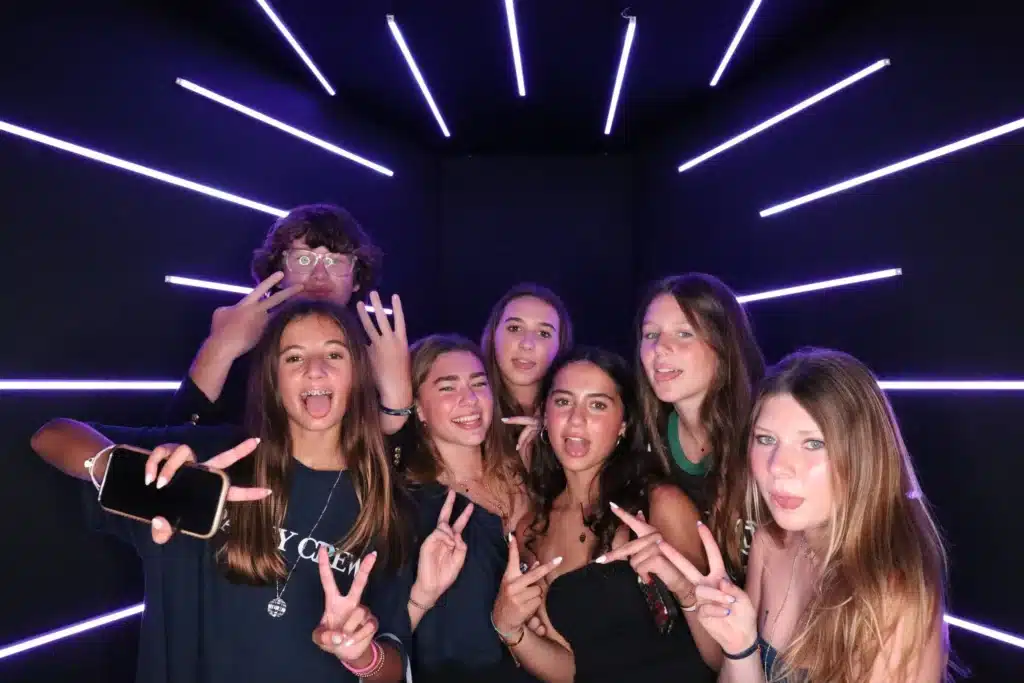
The best photo booth location is visible and easy to reach without interfering with the rest of the event. A side wall near the reception or cocktail area can work well, provided guests have enough room to line up without blocking another service.
Think about the way people will move through space. A booth can be technically inside its allocated footprint and still be poorly positioned if guests have to cross the dance floor or stand in front of a restroom entrance to use it.
Avoid locations that block or interfere with:
- Emergency exits and fire doors
- Required walkways
- Accessible routes
- Restroom entrances
- Elevators and stairs
- Catering and buffet areas
- Bars and service stations
- DJ or stage equipment
- Main entrances
- Emergency equipment
For corporate events, a pre-function area can work particularly well when the booth is being used as a photo booth social sharing station. Guests can take their photos, share them digitally, and continue into the main event without creating a bottleneck.
What Power Does A Photo Booth Need?
Most standard photo booths use ordinary wall power, but the outlet needs to be suitable for the equipment and ideally placed on a circuit that is not overloaded by other event equipment.
Ask the provider for the exact voltage, amperage, plug type, maximum power draw, and recommended circuit arrangement. In North America, many standard booths use a grounded 110–120V outlet, but requirements vary by equipment.
The safest approach is to avoid sharing the booth’s circuit with equipment that can draw significant power, such as DJ systems, catering warmers, coffee machines, stage lighting, or large displays.
Before event day, confirm:
- Where the nearest outlet is located
- Whether it is grounded
- What voltage and plug type it provides
- Whether a dedicated circuit is required
- What other equipment uses the same circuit
- How far the outlet is from the booth
- Whether an extension cord is permitted
- How any cable crossing will be protected
- Who can access the electrical panel if a breaker trips
For an outdoor Miami event, power needs additional consideration because connections must be protected from weather, water, guest traffic, and other outdoor hazards.
Does A Photo Booth Need Wi-Fi?
A photo booth can often take photos and print them without Wi-Fi. Internet becomes important when your experience includes instant email or text delivery, QR galleries, cloud uploads, live sharing, lead capture, or cloud-based AI processing.
That distinction is worth making before you promise guests a specific digital experience. If you only want printed photos, losing Wi-Fi may have little effect on the main service. If guests are expecting a digital photo immediately on their phones, connectivity becomes part of the experience.
Venue Wi-Fi can also be unpredictable. A venue may advertise high-speed internet, but that does not guarantee a strong connection at the exact booth location.
Ask the venue:
- Which network can the booth use?
- Is there a dedicated vendor or production network?
- Does the network require a login portal?
- Is the booth location covered?
- Are cloud galleries or sharing services restricted?
- Can the provider test the connection before guests arrive?
- Can a cellular hotspot be used as a backup?
- Is a wired connection available for a larger activation?
For a sharing station, reliable connectivity matters even more because guests are likely to expect fast delivery. A weak connection can turn a few seconds of sharing into a frustrating wait.
How Does A Photo Booth Drive Engagement?
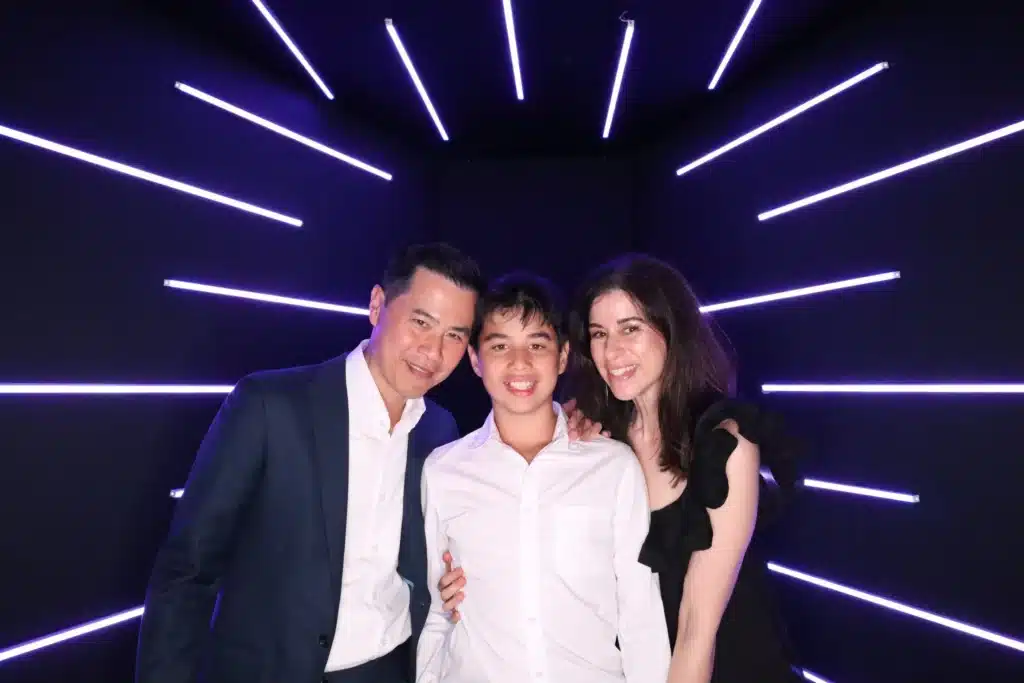
A well-positioned booth can give guests something to do while also creating content they want to share. The strongest experiences are designed around the event goal rather than simply placing a camera in an empty corner.
An interactive photo booth that drives engagement can include branded photo templates, digital sharing, GIFs, AI effects, green screen experiences, or other interactive elements. The right option depends on what you want guests to do and what you want them to take away.
For a private event, the goal may simply be participation and memories. For a corporate event, you may also care about social sharing, branded content, guest data, or measurable interactions.
That is where the ROI of photo booths becomes relevant. Your return may come from guest participation, social content, lead capture, brand impressions, or the quality of the experience itself. You should decide which outcome matters before choosing features.
You also may not need the most advanced option. If your event is small and your priority is printed keepsakes, a straightforward booth can deliver the experience without adding AI processing, live galleries, or complex data capture.
How Much Setup Time Does A Photo Booth Need?
Your photo booth should be completely assembled and tested before guests arrive. For a standard setup, giving the vendor at least 60 to 90 minutes of venue access provides a useful working window, although larger installations may require considerably more.
Setup time is not just the time needed to unpack the equipment. The vendor may need to check in with venue security, park or unload, move equipment through a service entrance, use an elevator, build the booth, connect power, test internet, arrange the backdrop, and test the final experience.
A larger 360 booth or branded activation may also require additional time for safety checks, signage, custom structures, or technology testing.
Confirm the following with your venue:
- Vendor arrival time
- Loading dock or service entrance
- Parking and unloading rules
- Security or vendor check-in
- Elevator access and dimensions
- Door and hallway widths
- Equipment storage
- Setup deadline
- Event start time
- Breakdown deadline
The best setup schedule leaves enough time to solve a problem without guests watching the troubleshooting happen.
What Should You Check For A Miami Outdoor Event?
Miami’s outdoor venues require extra planning because heat, rain, wind, sun, and changing weather conditions can affect both the equipment and guest experience. A covered booth area is helpful, but the entire setup still needs to be protected.
Check whether the booth will have:
- A stable, level surface
- Adequate shade and weather coverage
- Protection for power connections
- Securely weighted backdrop and lighting equipment
- A safe cable route
- Suitable lighting as daylight changes
- A backup indoor location
- A plan for rain or high winds
Grass, sand, gravel, and uneven surfaces can also create problems for certain booth types. A 360 booth, for example, needs a stable area where guests can safely move around the platform.
If your venue is outdoors, confirm whether stakes are permitted. Some properties require weighted bases instead, which can increase the space needed for the setup.
How Can You Make The Setup Accessible?
Your booth should be reachable by as many guests as possible without creating a difficult or obstructed route. Keep the path clear of furniture, cables, steps, and unnecessary barriers.
Consider whether someone using a wheelchair, walker, or stroller can reach the booth comfortably and whether there is enough room to turn and pose. If the booth has a raised platform, ask whether an accessible alternative is available.
Cable management is especially important. Whenever possible, route cables behind the booth or along a wall. If a cable must cross a pedestrian route, use an appropriate cable cover rather than leaving a loose cord across the floor.
Accessibility should be considered when you select the location, not after the booth has already been installed.
What Should You Ask Your Photo Booth Provider?
A reliable provider should be able to give you clear answers before event day. You should not have to guess how much space the equipment needs or whether your venue can support it.
Ask:
- What exact booth model will be used?
- What is the complete working footprint?
- How much ceiling clearance is required?
- How much room should be reserved for the queue?
- What power outlet and circuit do you need?
- Can the booth operate without Wi-Fi?
- Which features require the internet?
- Do you provide a cellular backup?
- How much setup time do you need?
- What are your load-in requirements?
- Can the booth be used outdoors?
- What happens if power or the internet fails?
- What equipment or supplies do you bring as backups?
- What venue paperwork or insurance documentation can you provide?
- How are guest photos and collected information handled?
Clear answers to these questions make it easier to compare providers on more than appearance or package features.
Common Mistakes to Avoid
Most setup problems are preventable when the venue and provider agree on the details ahead of time. A quick planning check can save you from moving equipment, troubleshooting connectivity, or changing the floor plan while guests are arriving.
- Measuring only the equipment: The booth may fit while the guest line does not. Reserve the full operating area, including posing, props, attendants, and queue space
- Sharing the wrong power circuit: Other equipment can overload the circuit and interrupt the booth. Confirm the circuit arrangement with the venue before setup
- Assuming Wi-Fi will work: A venue network may be slow or restricted where the booth is located. Test the actual connection and have a backup plan
- Ignoring the load-in route: Large equipment may not fit through a doorway or elevator even when it fits inside the event room. Check the complete route from vehicle to booth
- Putting the booth in a traffic path: A convenient corner can interfere with catering, entrances, exits, or the dance floor. Mark the booth and queue on the venue floor plan
- Leaving outdoor planning until the last minute: Weather can affect equipment, power, backdrops, and guest safety. Confirm weather protection and a backup location early
- Skipping final testing: A booth can look ready while sharing, printing, lighting, or AI features still have problems. Test every promised feature before guests arrive
Frequently Asked Questions
Does A Photo Booth Need A Dedicated Power Outlet?
Many booths use a standard grounded outlet, but the exact electrical requirements depend on the equipment. A dedicated circuit is often preferred to prevent problems caused by sharing power with catering, entertainment, or lighting. Ask your provider for the required voltage, amperage, plug type, and circuit specifications.
Can A Photo Booth Work Without Wi-Fi?
Often, yes. Basic photo capture and onsite printing can usually continue without internet, depending on the equipment. Features such as instant text or email delivery, QR galleries, cloud processing, lead capture, and some AI effects may require connectivity. If digital sharing is important, arrange tested internet and a backup connection.
How Early Should A Photo Booth Be Set Up?
A standard booth should ideally be ready and tested before guests enter, with 60 to 90 minutes of venue access as a useful starting point. Larger installations can take longer. Your schedule should account for loading, security, elevators, room access, assembly, technology testing, and any last-minute venue changes.
Can You Put A Photo Booth Outside In Miami?
Yes, provided the equipment and setup are suitable for outdoor use and properly protected. You need a stable surface, weather protection, safe power, secure backdrops, protected cables, and a plan for changing weather. A backup indoor location is also wise when rain, wind, or extreme heat could affect the experience.
Where Is The Best Place To Put A Photo Booth?
Place it somewhere visible and easy to reach without blocking entrances, exits, catering routes, restrooms, accessible paths, or the dance floor. A side wall or pre-function area often works well. You should also make sure there is enough room nearby for the guest queue and any props or attendant station.
What Should A Venue Know About A Photo Booth?
The venue should receive the booth dimensions, power requirements, internet requirements, setup time, load-in details, approved location, and cable plan. You should also confirm elevator access, parking, insurance requirements, outdoor restrictions, and the venue contact who can help if a power or access problem occurs.
Get Your Photo Booth Setup Ready Before Event Day
The best photo booth setups are the ones guests barely have to think about. When the space is right, power is ready, Wi-Fi has been tested, and the load-in plan is clear, everything can run smoothly from the first guest to the last photo.
At Dipp Photo Booth, we know that a great experience starts with getting the details right before guests arrive. From choosing the right setup for your space to making sure the technology, power, and guest flow are all accounted for, we work with you to make the process feel easy from start to finish.
Before your event, take the time to confirm your photo booth rental setup requirements and make sure your venue and photo booth provider are on the same page.
Planning a Miami event? Get in touch with us to talk through your setup and create a photo booth experience that works for your event.